
Paramazz 1.1.0
A powerful, free plugin designed to streamline your BIM workflow in Autodesk Revit.
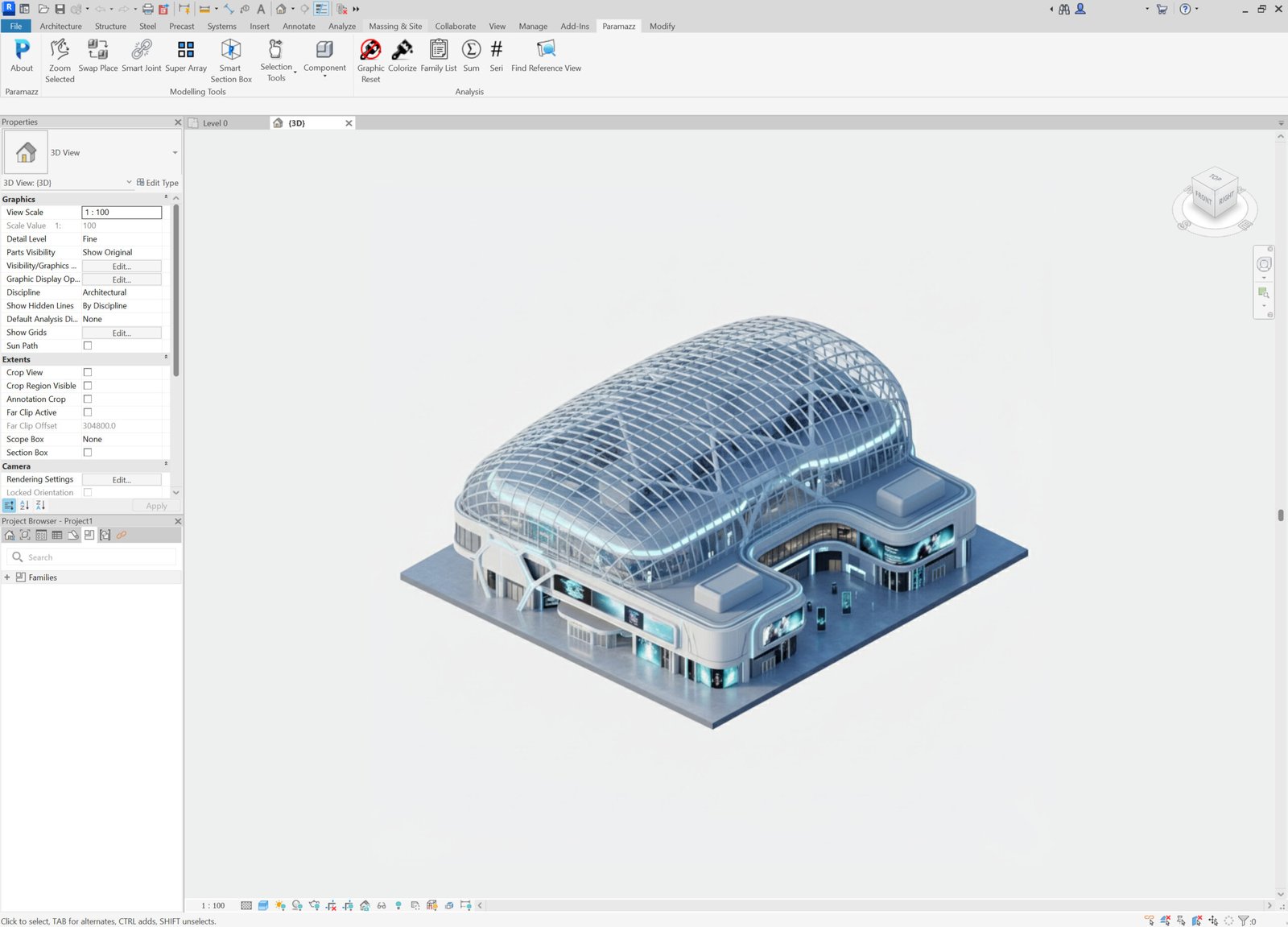
How to install Pramazz plugin
1 . Download the latest Paramazz plugin package from the website.
2 . Locate the downloaded .zip file and extract its contents.
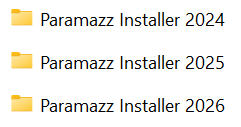
3 . Open the extracted folder and choose the installer for the Revit version you want to install.
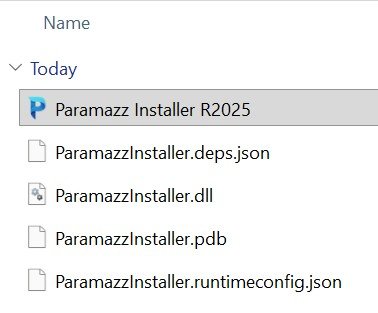
4 . Double-click the Paramazz Installer file to begin the installation.
5 . During installation, Windows may display a Microsoft Defender SmartScreen warning because the Paramazz installer is not yet digitally signed or has not established enough reputation with Microsoft. This does not mean the installer contains a virus. If you downloaded the installer from the official Paramazz website, you can safely continue with the installation.
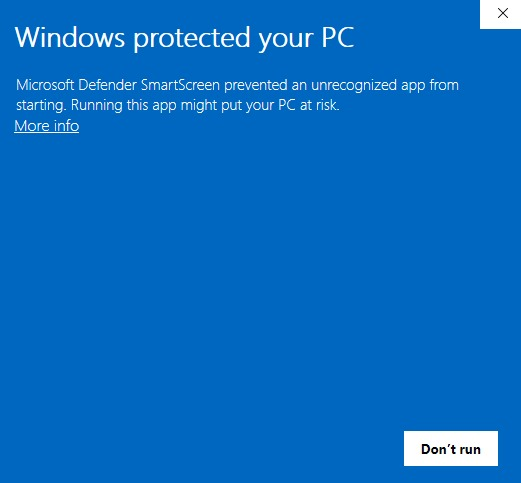
6 . When the Windows protected your PC window appears, click More info.
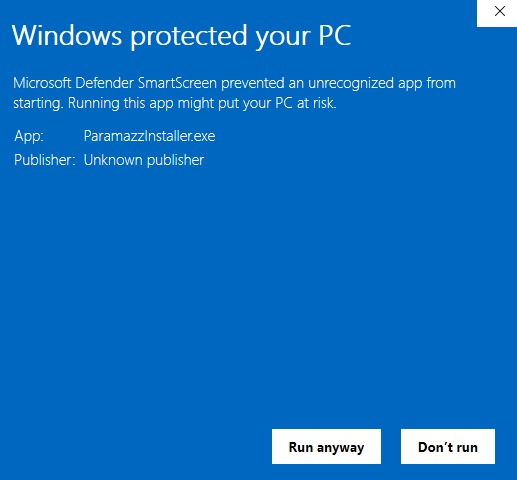
7 . Click Run anyway.
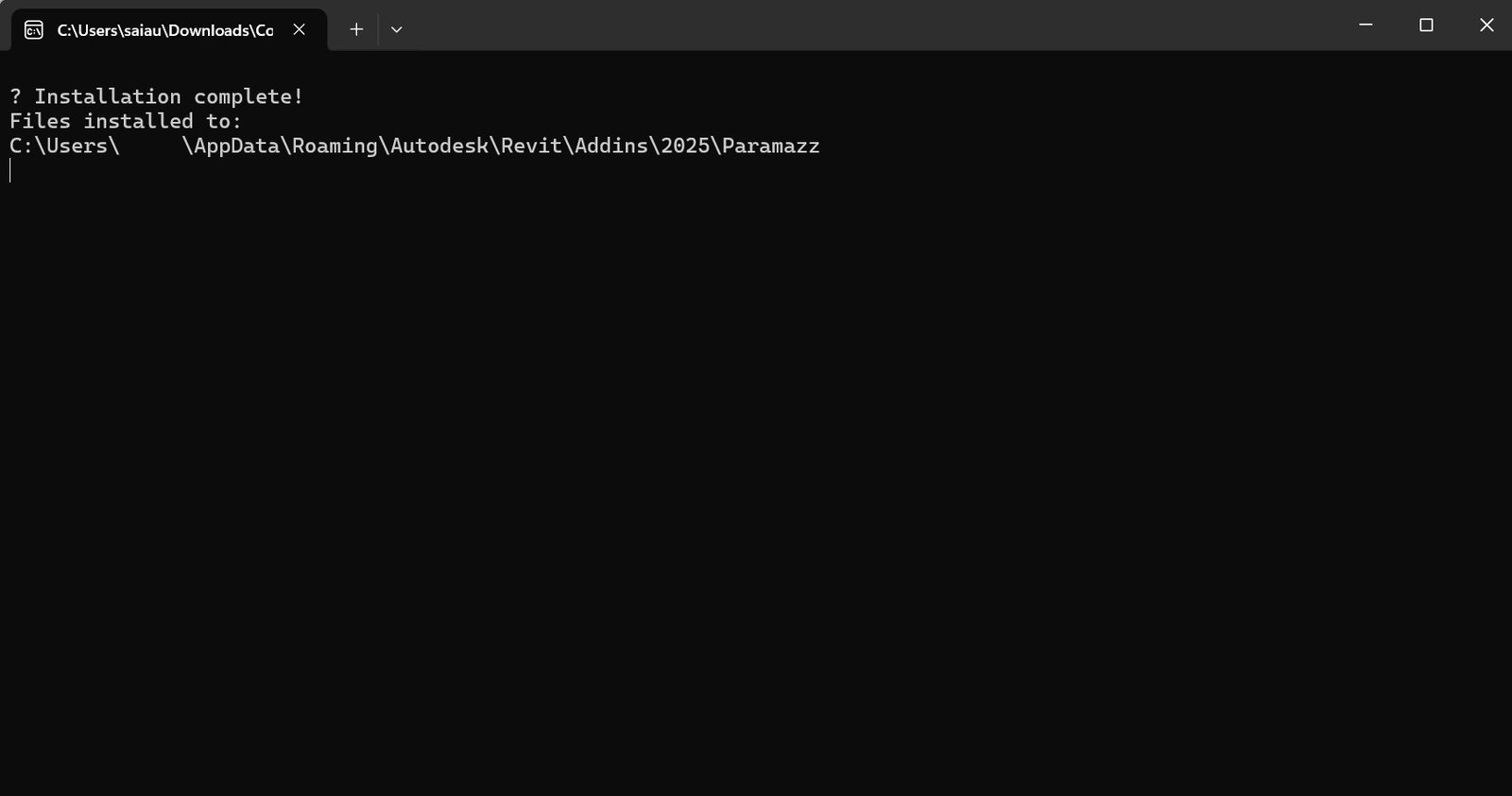
8 . Once the installation finishes, close the pop-up confirmation window.
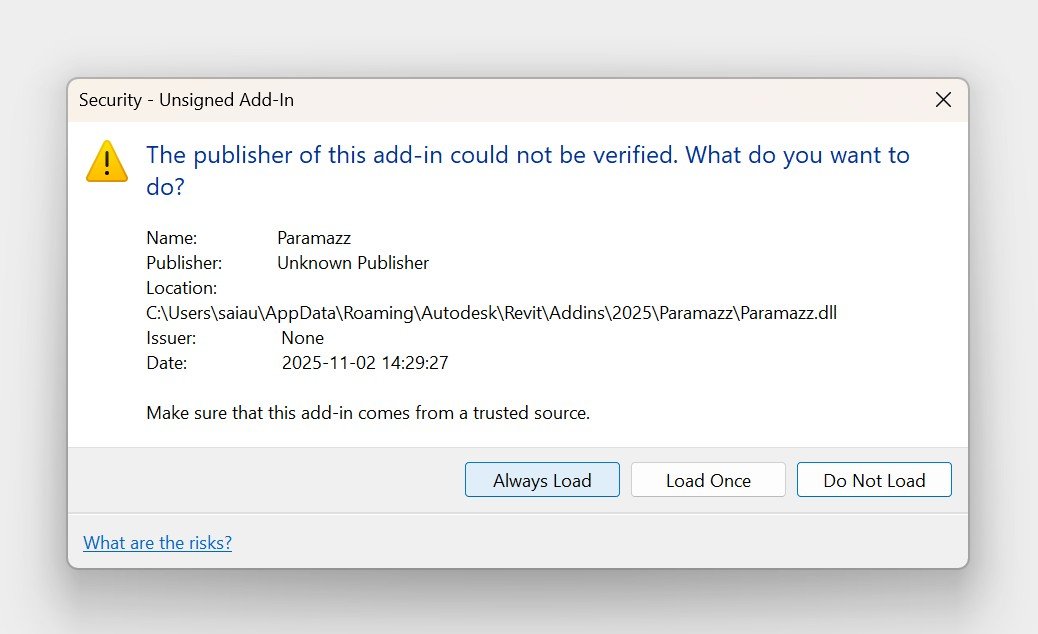
9 . Open Revit, and select Always Load to ensure the plugin is loaded automatically in future sessions.
If you encounter any issues during installation, please contact us for support. Our team will assist you promptly.